
Tech
What is AI TRiSM? The Complete Guide to AI Trust & Security (2026)


Picture this. A major bank rolls out an AI-powered loan approval system that seems flawless at first. Then, without warning, it starts denying applications from certain neighborhoods at rates that scream bias. Lawsuits pile up, trust evaporates, and the company scrambles to explain how their “smart” model reached those decisions. Sound familiar? Scenarios like this are playing out more often than you’d think, and they’re exactly why AI TRiSM has moved from buzzword to business necessity.
If you’re leading digital transformation or simply trying to keep your AI initiatives from blowing up in your face, you’ve probably heard the term. But what is AI TRiSM, really? And why does it matter more than ever heading into 2026? Let’s unpack it all, step by step, in plain English. No jargon overload, I promise.
Table of Contents
- What Exactly is AI TRiSM?
- Why AI TRiSM Matters in 2026
- The Four Pillars of AI TRiSM
- How to Implement AI TRiSM in Your Organization
- Pros and Cons of Adopting AI TRiSM
- Real-World Wins (and Cautionary Tales)
- FAQ
- Final Thoughts: Your Next Move with AI TRiSM
What Exactly is AI TRiSM?
AI TRiSM stands for Artificial Intelligence Trust, Risk, and Security Management. Gartner coined the term a few years back, and it’s basically the playbook for making sure your AI systems don’t just work—they work responsibly, securely, and in ways people can actually trust.
At its core, AI TRiSM weaves governance, transparency, and protection into every stage of the AI lifecycle. Think of it as the seatbelt and airbag combo for your AI projects. Without it, you’re speeding down the highway hoping nothing goes wrong. With it, you’re still moving fast, but you’ve got safeguards in place when the unexpected happens.
The framework tackles everything from model bias and data leaks to adversarial attacks and regulatory headaches. And yes, it’s not just for tech giants. Small teams and mid-sized companies are adopting pieces of it too, because the cost of ignoring these risks keeps climbing.
Why AI TRiSM Matters in 2026
Here’s a number that stopped me in my tracks: Gartner predicts that organizations operationalizing AI TRiSM will see up to a 50 percent boost in AI adoption rates, goal achievement, and user acceptance by 2026. That’s not hype. That’s the difference between pilots that fizzle out and systems that actually deliver value.
Why the urgency now? A few big shifts are colliding. First, agentic AI—those autonomous systems that make decisions with minimal human oversight—is exploding. Exciting? Absolutely. Risky? You bet, especially when they start interacting with sensitive data or real-world processes.
Second, regulations like the EU AI Act are no longer future threats. They’re here, with real enforcement teeth. Miss compliance, and you’re looking at hefty fines or worse. Third, shadow AI (those unsanctioned tools employees spin up on their own) is creating blind spots faster than most security teams can track.
You might not know this, but over 80 percent of unauthorized AI transactions stem from internal policy violations rather than outside hackers. That statistic alone should make you pause. AI TRiSM flips the script from reactive firefighting to proactive confidence.
The Four Pillars of AI TRiSM
The magic of AI TRiSM lives in its four interconnected pillars. Get these right, and you build systems that are not only powerful but also explainable, maintainable, secure, and private. Let’s break them down.
Pillar 1: Explainability (and Model Monitoring)
Ever stare at an AI decision and wonder, “How on earth did it reach that conclusion?” That’s the black-box problem. Explainability fixes it by making the inner workings of models transparent enough for humans to understand and audit.
In practice, this means using tools and techniques to trace predictions back to data inputs, spot biases early, and monitor performance drift over time. Imagine a doctor explaining why they prescribed a certain treatment instead of just handing you a pill and walking away. That level of clarity builds trust with stakeholders, regulators, and customers.
You’ll often hear this pillar called model monitoring too, because it’s not a one-time check. It’s ongoing vigilance to catch when models start behaving oddly in production.
Pillar 2: ModelOps
ModelOps is the operational backbone. It’s all about managing the entire lifecycle of AI models—from initial development and training through deployment, monitoring, retraining, and eventual retirement.
Think of it like DevOps but tailored for machine learning. Automated pipelines handle versioning, testing, and scaling while governance rules ensure every change stays within ethical and regulatory bounds. Without solid ModelOps, your shiny new model can quietly degrade or drift into risky territory.
In my experience following AI trends, teams that nail ModelOps move faster and sleep better at night. They avoid the classic trap of “build it and forget it.”
Pillar 3: Security (AI Application Security)
AI introduces attack surfaces traditional cybersecurity never dreamed of. Prompt injection, data poisoning, adversarial examples—these aren’t sci-fi threats anymore; they’re daily realities in 2026.
This pillar focuses on protecting models and applications from manipulation. It includes runtime inspection to catch suspicious inputs in real time, shielding against model theft, and securing the data pipelines that feed your AI.
Here’s a quick analogy: if your AI is a high-tech vault, this pillar is the reinforced doors, motion sensors, and 24/7 guards combined. Ignore it, and even the smartest system becomes a liability.
Pillar 4: Privacy
Data is the lifeblood of AI, but it’s also a massive privacy risk. This pillar ensures you handle information responsibly, complying with laws like GDPR, CCPA, and emerging AI-specific rules while minimizing exposure.
Techniques like differential privacy, data anonymization, and strict access controls come into play. The goal? Use what you need without over-collecting or risking leaks that could destroy customer trust.
Privacy isn’t just a checkbox anymore. It’s a competitive advantage. Users reward companies that treat their data like the precious resource it is.
How to Implement AI TRiSM in Your Organization
You don’t have to boil the ocean on day one. Start small. Form a cross-functional team—tech, legal, security, and business leads—who own AI governance policies.
Next, inventory every AI model and application in use (yes, including those shadow projects). Map data flows and assign risk scores. Then layer in tools for explainability, monitoring, and runtime protection.
Run regular audits. Train teams on responsible AI practices. And most importantly, integrate these pillars into your existing workflows rather than bolting them on as an afterthought.
It takes effort, sure, but the payoff compounds quickly.
Pros and Cons of Adopting AI TRiSM
To keep things balanced, here’s a straightforward comparison:
| Aspect | With AI TRiSM | Without AI TRiSM |
|---|---|---|
| Risk Management | Proactive identification and mitigation | Reactive fixes after incidents |
| Regulatory Compliance | Built-in alignment with laws like EU AI Act | Constant scramble to catch up |
| User & Stakeholder Trust | High transparency builds confidence | Black-box decisions breed suspicion |
| Operational Efficiency | 50% potential boost in adoption rates | Slower scaling due to hidden failures |
| Implementation Cost | Upfront investment in tools and training | Lower initial spend but higher long-term fallout |
| Innovation Speed | Governed acceleration | Unchecked speed with hidden dangers |
The table makes it clear: the pros far outweigh the cons once you factor in avoided disasters.
Real-World Wins (and Cautionary Tales)
Take the Danish Business Authority. They used explainability tools within an AI TRiSM approach to monitor transactions fairly, cutting bias complaints dramatically. Or consider healthcare providers deploying privacy-first models for patient diagnostics—lives improved, data protected.
On the flip side, companies that skipped these steps have faced public backlash when their AI hiring tools discriminated or chatbots leaked sensitive info. The lesson? AI TRiSM isn’t optional insurance; it’s table stakes.
FAQ
What does AI TRiSM stand for?
AI TRiSM stands for Artificial Intelligence Trust, Risk, and Security Management. It’s the framework that keeps your AI systems trustworthy, safe, and compliant.
Is AI TRiSM only for large enterprises?
Not at all. While big organizations led the way, smaller teams can adopt the pillars incrementally using cloud-native tools and open-source explainability libraries.
How does AI TRiSM differ from general AI governance?
Governance sets the rules; AI TRiSM supplies the technical teeth to enforce them across the full model lifecycle.
What are the biggest risks AI TRiSM helps prevent?
Bias amplification, data breaches, adversarial attacks, model drift, and regulatory violations top the list.
Do I need special tools for each pillar?
Many modern platforms bundle capabilities, but you can mix and match. Start with monitoring dashboards and build from there.
Will AI TRiSM slow down my innovation?
Actually, the opposite. It gives you guardrails that let you experiment confidently without constant fear of backlash.
How do I measure success with AI TRiSM?
Track metrics like model accuracy over time, incident reduction, compliance audit pass rates, and user trust surveys.
Final Thoughts: Your Next Move with AI TRiSM
Look, AI isn’t going anywhere. If anything, it’s accelerating faster than most of us predicted. But speed without steering leads to crashes. AI TRiSM gives you that steering wheel, brakes, and GPS all in one.
Honestly, this isn’t talked about enough in strategy meetings. Too many leaders still treat security and ethics as checkboxes rather than core capabilities. My take? The organizations that master these four pillars won’t just survive 2026—they’ll thrive while others scramble.
So here’s my question for you: Is your AI strategy built for trust, or are you still hoping nothing goes wrong? Start small, pick one pillar, and build from there. Your future self (and your customers) will thank you.
You may also like: What is Agentic AI? The Complete Guide to Autonomous Agents (2026)
Tech
Machine Safety Services and Control System Integration: Building Safer, Smarter Industrial Operations
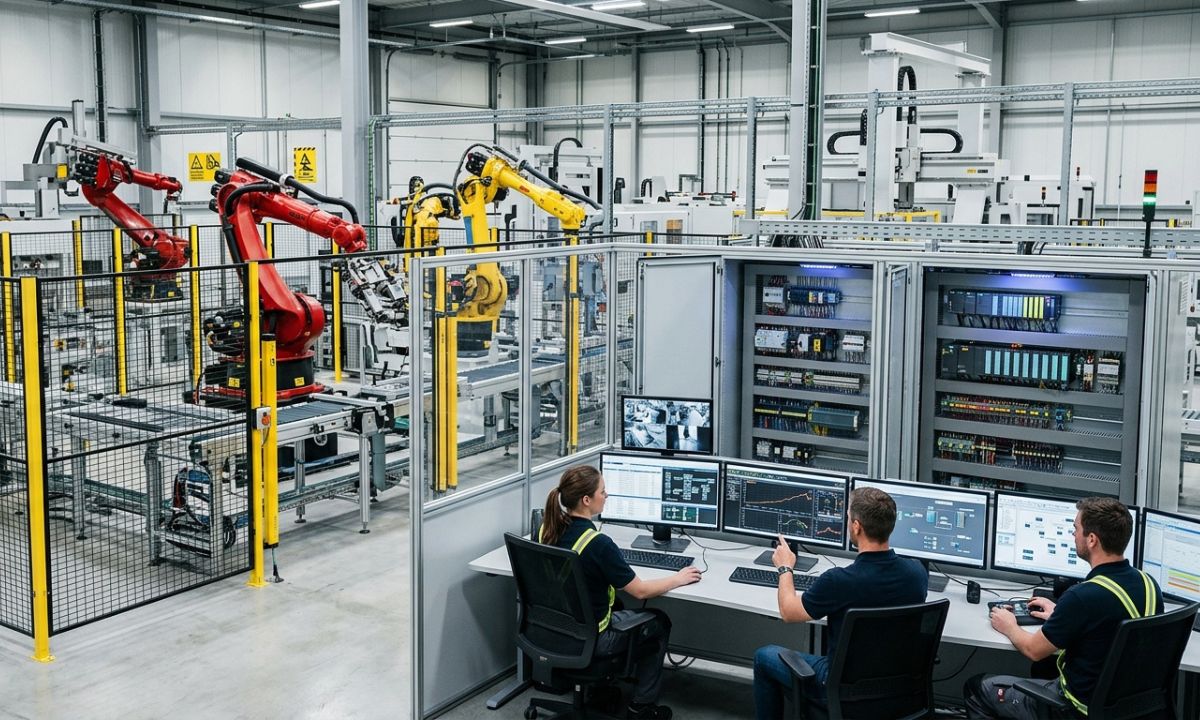
A production line can run thousands of cycles in a day without a problem. Then one small control failure, an outdated safety circuit, or a poorly integrated machine creates a serious interruption.
That is why modern industrial automation is no longer just about making equipment run faster. It is about making systems work together safely, reliably, and intelligently.
This is where machine safety services and control system integration become particularly important. Manufacturers and other industrial operators need more than individual machines with sophisticated controls. They need those machines, safety devices, sensors, software, and production systems to communicate effectively.
A well-designed automation system can improve productivity while also helping reduce operational risk, improve product consistency, modernize aging equipment, and give plant managers better visibility into what is happening on the production floor.
For companies dealing with legacy controls or increasingly complex production requirements, that combination can make a substantial difference.
Table of Contents
- What Are Machine Safety Services?
- Understanding Control System Integration
- Why Machine Safety and Automation Go Together
- Common Problems With Legacy Control Systems
- What a Control System Integrator Actually Does
- Key Benefits of Modern Automation Integration
- Machine Safety Services vs. Traditional Safety Upgrades
- How Pacific Blue Engineering Supports Industrial Automation
- Industries That Can Benefit From Control Integration
- Questions to Ask Before Starting an Automation Project
- Frequently Asked Questions
- Final Thoughts
What Are Machine Safety Services?
Machine safety services are engineering and technical services designed to identify and reduce hazards associated with industrial machinery and automated processes.
These services can involve reviewing existing equipment, identifying potential hazards, evaluating safety controls, and helping businesses implement appropriate protective measures.
Depending on the application, machine safety work may include:
- Safety risk assessments
- Machine guarding evaluation
- Safety circuit design
- Emergency stop systems
- Safety PLC implementation
- Interlocking systems
- Presence sensing devices
- Light curtains and safety scanners
- Safety relay systems
- Control system validation
- Safety documentation
- Machine modernization
The important point is that machine safety isn’t simply about adding an emergency-stop button and calling the job finished.
A machine may be technically functional while still having weaknesses in its safety architecture. For example, an outdated control panel may not communicate properly with newer safety devices. A modified production line may introduce hazards that weren’t present when the original machine was installed.
That’s why safety needs to be considered as part of the complete automation system.
Understanding Control System Integration
Control system integration involves bringing different automation components together so they operate as one coordinated system.
Think about a modern production facility. It may contain programmable logic controllers, variable frequency drives, robots, sensors, HMIs, industrial networks, safety systems, databases, and supervisory software.
If each component works independently, operators may spend unnecessary time troubleshooting problems and collecting information manually.
An experienced control system integrator connects these technologies and develops the control architecture needed for the application.
A typical integration project might include:
- Reviewing the existing process
- Identifying operational requirements
- Developing the control architecture
- Selecting suitable automation hardware
- Programming PLCs and HMIs
- Integrating sensors and field devices
- Connecting safety systems
- Establishing industrial communications
- Testing the system
- Commissioning the equipment
- Training operators and maintenance personnel
The goal isn’t simply to install new technology. The goal is to create a system that solves an actual operational problem.
Why Machine Safety and Automation Go Together
Safety and productivity are sometimes treated as separate objectives. In practice, they often overlap.
Consider a machine that frequently stops because operators have to manually intervene. If the safety and control architecture is poorly designed, diagnosing those stops can become difficult.
A modern integrated system can provide clearer information about what happened and why.
For instance, instead of simply showing that a machine stopped, an HMI might identify a particular safety device, interlock, sensor, or process condition that triggered the shutdown.
That information can shorten troubleshooting time.
It can also help maintenance teams identify recurring issues before they turn into larger production problems.
Honestly, this isn’t talked about enough: good safety engineering can contribute to better operational visibility, not just compliance.
Common Problems With Legacy Control Systems
Many industrial facilities are still operating equipment that was installed years or even decades ago.
There’s nothing inherently wrong with keeping reliable equipment in service. The problem begins when the control technology becomes difficult to maintain or integrate.
Common warning signs include:
Obsolete PLC Hardware
Older PLCs and processors may no longer be supported by their manufacturers. Replacement components can become expensive or difficult to locate.
Limited Data Visibility
Some older systems provide very little useful production data. Operators may know that something went wrong but have limited information about the cause.
Difficult Troubleshooting
Legacy systems may rely heavily on undocumented wiring, outdated programming practices, or components that newer technicians aren’t familiar with.
Inconsistent Safety Architecture
Equipment modifications performed over the years can leave safety systems fragmented or difficult to evaluate as a whole.
Poor Communication Between Machines
Older equipment may not communicate easily with modern manufacturing software, plant networks, or newer automation platforms.
Replacing an entire machine isn’t always the answer.
In many situations, control system modernization can extend the useful life of existing equipment while bringing its controls closer to modern operational standards.
What a Control System Integrator Actually Does
A control system integrator sits between the business problem and the technology used to solve it.
That distinction matters.
A good integrator doesn’t start with, “Which PLC should we install?” The better question is, “What does this process need to accomplish?”
From there, engineers can determine the appropriate hardware, software, networking, safety architecture, and user interface.
An experienced integrator may work on projects involving:
- PLC programming
- HMI development
- SCADA systems
- Industrial networking
- Robotics integration
- Motion control
- Variable frequency drives
- Safety PLCs
- Electrical control panels
- Data collection
- Process automation
- Legacy system modernization
- System commissioning
This approach becomes especially useful when a project involves multiple vendors or generations of equipment.
Someone has to make all those pieces work together.
Key Benefits of Modern Automation Integration
A properly planned automation project can affect much more than machine speed.
Improved Machine Safety
Modern safety systems can help identify hazards and provide controlled responses when unsafe conditions occur.
Better Product Quality
Automation can reduce process variation by controlling important parameters consistently.
Reduced Downtime
When control systems provide better diagnostic information, maintenance teams can often identify problems faster.
Lower Operational Risk
Replacing unsupported components and improving system architecture can reduce some risks associated with aging equipment.
Better Production Data
Integrated systems can collect valuable information about machine status, production rates, faults, energy use, and other operational factors.
Easier Maintenance
Clearer programming, documentation, interfaces, and diagnostics can make systems easier for maintenance teams to understand.
Longer Equipment Life
Modernizing controls may allow an otherwise useful machine to remain productive without replacing the entire mechanical system.
Better Decision-Making
Plant managers can make more informed decisions when reliable production information is available instead of relying entirely on manual observations.
Machine Safety Services vs. Traditional Safety Upgrades
| Traditional Approach | Integrated Machine Safety Approach |
|---|---|
| Focuses mainly on individual safety devices | Considers the complete machine and control architecture |
| Often reactive | Can be based on systematic risk assessment |
| Limited diagnostic information | Better fault and status visibility |
| May rely heavily on standalone components | Can integrate safety PLCs and control systems |
| May address one machine at a time | Can consider connected production processes |
| Documentation may be limited | Documentation and validation can be built into the project |
This doesn’t mean every facility needs the most sophisticated safety technology available.
Quite the opposite.
The right solution depends on the machine, process, hazards, operating environment, and business requirements.
How Pacific Blue Engineering Supports Industrial Automation
Pacific Blue Engineering is an example of an engineering company focused on control system integration and industrial automation.
Its work covers tailored automation solutions designed around the specific requirements of industrial operations rather than forcing every customer into the same technology package.
That distinction is important because no two production environments are exactly alike.
A manufacturing plant may need to modernize legacy controls while maintaining existing equipment. A food and beverage operation may have different process, sanitation, and production requirements. A life sciences facility can have its own demanding automation and documentation considerations.
Pacific Blue Engineering provides control system integration services across industries including manufacturing, food and beverage, life sciences, entertainment, and transportation.
Its engineering approach can help businesses address several common industrial challenges, including:
- Modernizing legacy control systems
- Improving machine safety
- Optimizing production processes
- Enhancing product quality
- Reducing operational risk
- Integrating automation technologies
- Improving access to operational information
The value of this type of engineering work isn’t limited to the initial installation.
A well-designed system should also make sense five or ten years later when someone needs to troubleshoot a sensor, modify a process, replace a component, or understand why a machine stopped.
That’s where thoughtful systems engineering earns its keep.
Industries That Can Benefit From Control Integration
Manufacturing
Manufacturers often need to balance throughput, quality, safety, and equipment availability. Integrated controls can help coordinate machines and provide better information about production performance.
Food and Beverage
Food and beverage facilities depend heavily on consistent processes. Automation can help control production parameters while improving visibility into equipment and process conditions.
Life Sciences
Life sciences operations can involve complex processes where consistency, traceability, and reliable automation are particularly important.
Entertainment
Entertainment facilities can use sophisticated automation and control systems for equipment, attractions, specialized machinery, and operational processes.
Transportation
Transportation environments may involve complex mechanical and electrical systems that require reliable monitoring, control, and integration.
The technologies differ between these industries, but the underlying principle remains similar: connect the right systems and make them work together reliably.
Questions to Ask Before Starting an Automation Project
Before selecting an integrator or beginning a major controls upgrade, ask a few practical questions.
What problem are we actually trying to solve?
Is the issue downtime, obsolete controls, poor data visibility, safety concerns, inconsistent quality, or something else?
Can the existing equipment be modernized?
Full replacement may not be necessary. A controls upgrade could potentially provide many of the required improvements.
How will the new system interact with existing equipment?
Integration planning is particularly important when old and new technologies need to coexist.
What information do operators need?
A technically impressive system isn’t very useful if operators can’t quickly understand what the HMI is telling them.
What happens after commissioning?
Ask about documentation, training, troubleshooting support, system maintenance, and future modifications.
How will safety be addressed?
Safety should be considered from the beginning of the project rather than treated as an afterthought.
Frequently Asked Questions
What are machine safety services?
Machine safety services help businesses identify machinery hazards and implement engineering controls and safety systems designed to reduce risk. They can include risk assessments, safety circuits, guarding evaluations, safety PLCs, interlocks, and validation.
What is control system integration?
Control system integration is the process of connecting automation hardware, software, machines, sensors, networks, and other technologies so they operate as a coordinated system.
Why modernize a legacy control system?
Legacy controls can become difficult to support, troubleshoot, or connect with modern technologies. Modernization can improve reliability, diagnostics, safety integration, data visibility, and maintainability while potentially extending the life of existing equipment.
Does automation improve machine safety?
Automation can support machine safety by integrating safety devices, monitoring hazardous conditions, and providing controlled responses. The appropriate solution depends on the specific machine, hazards, and risk assessment.
Can an integrator work with existing equipment?
Yes. Control system integrators often work with existing machinery and legacy controls. Depending on the equipment and project goals, modernization may involve replacing selected control components while retaining useful mechanical systems.
What industries use control system integration?
Control system integration is used across many sectors, including manufacturing, food and beverage, life sciences, transportation, entertainment, energy, and other industrial environments.
How can automation improve product quality?
Automation can reduce process variation by controlling equipment and process parameters consistently. Better monitoring and data collection can also help identify deviations earlier.
Final Thoughts
Industrial automation isn’t simply a race toward newer technology.
The real objective is more practical: safer equipment, dependable processes, useful information, and systems that make sense for the people who operate and maintain them.
That’s why machine safety services and control system integration should be considered together when businesses modernize industrial operations. A control system that runs efficiently but provides poor safety or visibility isn’t a complete solution.
Likewise, adding safety equipment without considering how the overall automation architecture works can leave valuable opportunities on the table.
Companies such as Pacific Blue Engineering demonstrate how systems engineering and automation technologies can be brought together to address those challenges across different industrial environments.
The next step for a facility considering modernization is often surprisingly simple: identify the machines, processes, or controls causing the most friction today. From there, a properly scoped engineering assessment can reveal what should be upgraded, what can stay, and where automation can deliver the greatest practical value.
Tech
Heavy Construction Equipment Financing: How to Smartly Scale Your Fleet Without Draining Cash Flow
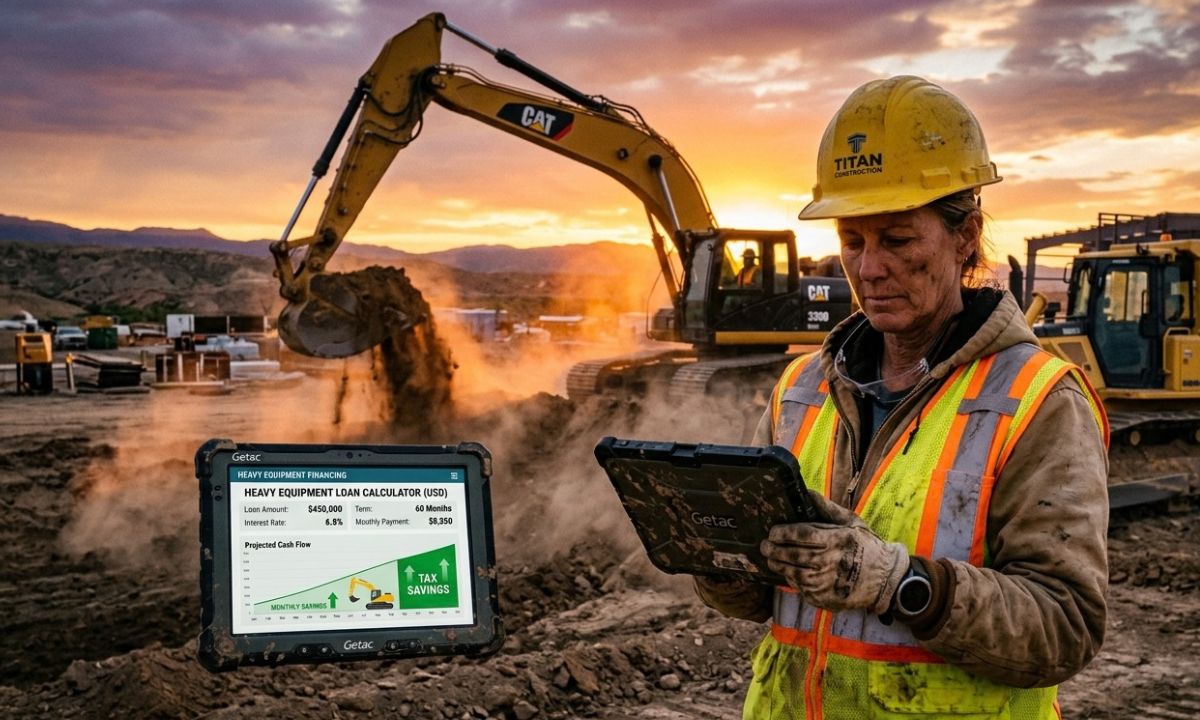
Did you know that a brand-new excavator can lose up to 20% of its resale value the second its tracks hit job site dirt? It is a stark reminder of how brutally capital-intensive the construction industry really is. Gear wears out, job specs change, and general contractors frequently take 60 to 90 days to settle invoices. Buying a $350,000 wheel loader outright with liquid cash sounds great on paper, but it often leaves a business vulnerable when payroll or unexpected site repairs loom next month.
That reality is why experienced fleet managers rely on strategic heavy construction equipment financing. Rather than locking up vital reserves in depreciating steel, top-performing contractors structure debt to align with project cash flows. If you have ever run figures through a heavy equipment financing calculator, you already know how slight variations in interest rates, term lengths, and down payments can drastically alter your bottom line.
In this guide, we will break down how modern equipment funding works, how to calculate payments accurately, and how specialized financing partners like Thirty3 Capital help contractors acquire essential machinery while keeping working capital intact.
The Hidden Trap of Buying Heavy Machinery with Cash
In my experience working alongside site prep subcontractors and civil engineering firms, the desire to own machinery debt-free is strong. Paying cash feels safe. There are no monthly statements, no interest charges, and no lender oversight. But in construction, cash is your ultimate safety net.
Consider a real-world scenario from a few seasons back. An earthmoving contractor in Ohio purchased two articulated dump trucks for $700,000 in cash right before spring. They had the funds in reserve, so paying outright felt like a milestone accomplishment. However, unseasonal rain delayed site grading by seven weeks. Because their cash reserves were locked in those dump trucks, they lacked the liquidity to cover operator payroll and fuel orders without taking out emergency, high-interest lines of credit.
Tying up cash in hard assets creates three distinct vulnerabilities:
- Illiquidity Risk: Machinery cannot be quickly converted back into cash to cover emergency expenses or project delays.
- Opportunity Cost: Capital tied up in iron cannot be used to bid on larger contracts, hire skilled labor, or secure performance bonds.
- Uneven Tax Spreading: Buying cash eliminates monthly interest deductions that could otherwise offset taxable operational revenue over time.
Comparing Cash Purchases vs. Strategic Financing
Choosing between paying cash and financing equipment comes down to how efficiently you deploy capital. Here is a direct breakdown of how the two approaches compare across core financial metrics.
| Financial Metric / Feature | Buying Outright with Cash | Heavy Construction Equipment Financing |
| Upfront Cash Outlay | Extremely High (100% of equipment price) | Low to Moderate (typically 0% to 20% down) |
| Working Capital Impact | Drains liquidity immediately | Preserves cash reserves for day-to-day operations |
| Bonding & Credit Capacity | Reduces cash balance on balance sheet | Capitalizes asset while establishing structured debt |
| Tax Strategy Flexibility | Limited to immediate or standard asset depreciation | Section 179, bonus depreciation, plus interest write-offs |
| Fleet Modernization Speed | Slow (limited by accumulated cash savings) | Fast (allows immediate fleet expansion as demand grows) |
| Seasonal Payment Adjustments | None (cost paid upfront regardless of work slumps) | Flexible (can structure seasonal or skip-payment schedules) |
The Core Types of Heavy Construction Equipment Financing
Navigating heavy construction equipment financing requires understanding which financial vehicle matches your operational goals. Not all debt is created equal, and choosing the wrong structure can cost tens of thousands over a five-year term.
1. Capital Leases (Finance Leases)
A capital lease operates much like a standard equipment loan. The lessee assumes the benefits and risks of ownership. On the balance sheet, the equipment is treated as an asset, and the lease obligation is recorded as a liability. At the end of the term, the contractor typically purchases the machine for a nominal amount (such as a $1 buy-out).
2. Operating Leases
If your company runs heavy equipment for specific long-term contracts and prefers to cycle into newer models every 36 to 48 months, an operating lease is often the preferred choice. Monthly payments are usually lower because you are only paying for the machine’s depreciation during the lease window. At term end, you can return the gear, purchase it at Fair Market Value (FMV), or extend the lease.
3. Asset-Backed Financing
Asset-backed financing uses existing, high-value fleet equipment as collateral to secure funding for new machinery or capital expansion. If your business owns several paid-off bulldozers or cranes, an asset-backed structure allows you to leverage that unencumbered equity. Lenders offer lower interest rates and higher approval thresholds because the loan is well-secured by tangible iron.
How to Master the Math with a Heavy Equipment Financing Calculator
Honestly, this isn’t talked about enough: basic auto loan calculators are almost useless when evaluating heavy machinery deals. Why? Because equipment finance involves soft costs (freight, dealer setup, specialized attachments, extended warranties), potential balloon payments, residual values, and non-standard payment rhythms.
A proper heavy equipment financing calculator accounts for all these variables to show your true total cost of ownership.
The Financial Formula Under the Hood
To understand how loan payments are generated, lenders utilize the standard amortization formula:
$$PMT = P \times \frac{r(1 + r)^n}{(1 + r)^n – 1}$$
Where:
- $PMT$ = Monthly payment
- $P$ = Principal amount (Total equipment price + soft costs – down payment)
- $r$ = Monthly interest rate (Annual Percentage Rate divided by 12)
- $n$ = Total number of monthly payments
Well… let’s break down a quick example to make this concrete.
Suppose you are looking at a mid-sized excavator priced at $280,000. The dealer adds $10,000 for transport, rigging, and a 3-year full-powertrain warranty, bringing the total acquisition cost to $290,000.
- Total Equipment Cost: $290,000
- Down Payment (10%): $29,000
- Financed Amount ($P$): $261,000
- Loan Term ($n$): 60 months (5 years)
- Interest Rate (APR): 7.5% annually ($r = 0.075 / 12 = 0.00625$)
Plugging these figures into the amortization formula:
$$PMT = 261,000 \times \frac{0.00625(1 + 0.00625)^{60}}{(1 + 0.00625)^{60} – 1}$$
$$PMT = 261,000 \times \frac{0.00625(1.4533)}{0.4533} = 261,000 \times 0.020038 = \$5,229.92$$
Your baseline monthly commitment would be roughly $5,230. If that machine generates $18,000 in monthly billable project work, the decision to finance yields an immediate net positive monthly cash flow of over $12,000.
Tailored Financing Solutions: The Thirty3 Capital Model
Traditional commercial banks often struggle with heavy construction deals. They evaluate a 50-ton excavator using the same rigid rigid metrics as a retail store lease, ignoring seasonal revenue drops, job-site wear, and specialized machinery values.
This is where dedicated industry specialists like Thirty3 Capital step in. Thirty3 Capital has earned a strong reputation for providing tailored financing options designed specifically around the operational realities of heavy machinery acquisitions.
Rather than trying to fit every contractor into a standard credit box, Thirty3 Capital focuses on custom structures, including:
- Asset-Backed Financing Flexibility: Utilizing existing fleet equity to back new machinery purchases, reducing cash-down requirements for growing contractors.
- Monthly Payment Planning Tools: Interactive tools that allow business owners to model seasonal adjustments, skip-payment options during winter months, and step-up structures that start with lower payments while equipment is being deployed.
- Soft-Cost Inclusion: Bundling transport fees, attachment costs, and extended service agreements into a single financed package so there are zero surprise out-of-pocket expenses.
By aligning payment schedules directly with a contractor’s revenue cycles, specialized firms help businesses acquire high-performance machinery while managing operational overhead efficiently.
5 Key Factors Lenders Evaluate Before Approving Your Deal
When applying for heavy construction equipment financing, underwriters look closely at specific indicators to gauge risk. Knowing what they evaluate allows you to present a stronger case and secure better rates.
1. Debt Service Coverage Ratio (DSCR)
Lenders want proof that your operational income comfortably covers existing and new debt obligations.
$$\text{DSCR} = \frac{\text{Net Operating Income}}{\text{Total Debt Service}}$$
A DSCR of 1.25x or higher shows that your business generates a 25% buffer above its debt requirements, which underwriters view favorably.
2. Credit Profile & Time in Business
While personal and business credit scores impact interest rates, lenders also weigh your track record. Contractors with more than two to three years of continuous operation often unlock lower rates and reduced down payment expectations.
3. Equipment Age and Type
Tier-1 equipment from major manufacturers (such as Caterpillar, Komatsu, Volvo, or John Deere) retains value far better than niche or obscure brands. Lenders offer better financing terms on reputable brands because their secondary market liquidation value is high and predictable.
4. Project Pipeline & Backlog
Demonstrating signed contracts or a healthy project backlog proves that the newly acquired equipment will be put to work immediately, generating the revenue required to service the loan.
5. Fleet Utilization Rate
If your current fleet operates at 85% capacity or higher, adding a new unit is easy to justify. Lenders want assurance that new equipment will drive incremental revenue rather than sit idle in a yard.
Leveraging Section 179 and Depreciation for Maximum Tax Savings
Some experts disagree on the best tax approach for heavy machinery, but here is my take: failing to coordinate your equipment purchases with your CPA is like leaving money on the table.
Under Section 179 of the IRS Tax Code, qualifying businesses can deduct the full purchase price of eligible new or used heavy equipment financed and placed in service during the tax year.
How Section 179 Supercharges Financing
- Immediate Deduction: Instead of depreciating a $300,000 machine slowly over 5 to 7 years, you can write off the full purchase price in Year 1.
- Tax Savings Exceed Cash Down: If you place a $300,000 machine in service using a 10% down payment ($30,000) and fall into a 30% tax bracket, your first-year tax savings could reach $90,000 ($300,000 x 30%).
In effect, your first-year tax savings can significantly exceed your initial cash down payment, creating a positive net cash position almost immediately.
Frequently Asked Questions
What is heavy construction equipment financing?
Heavy construction equipment financing is a specialized funding method that allows contractors to acquire heavy machinery, such as excavators, cranes, and bulldozers, through loans or leases rather than paying the full purchase price upfront in cash.
How does a heavy equipment financing calculator work?
A heavy equipment financing calculator estimates your monthly payments by factoring in the machinery’s total purchase price, down payment, interest rate, term length, and soft costs like freight and extended warranties.
Can I finance used heavy machinery?
Yes, used equipment from major manufacturers can be financed easily. Lenders evaluate the machine’s age, operating hours, overall condition, and market value to determine appropriate loan terms and interest rates.
What down payment is typically required for heavy equipment loans?
Down payment requirements generally range from 0% to 20%, depending on your business’s credit profile, time in operation, asset value, and whether you utilize asset-backed financing strategies.
How does Thirty3 Capital customize payment structures?
Thirty3 Capital tailors financing solutions by offering seasonal payment schedules, skip-payment options during slow weather periods, and asset-backed structures that leverage existing fleet equity to lower upfront cash demands.
What is the main difference between an equipment loan and an operating lease?
An equipment loan transfers full ownership of the machinery to you upon term completion, whereas an operating lease functions more like a long-term rental where you return or purchase the machine at fair market value at the end of the term.
Final Thoughts and Fleet Strategy
Scaling a construction business requires a careful balance between managing risk and seizing market opportunities. While paying cash for machinery may seem like the safest path, preserving liquidity through strategic financing is often what allows a business to weather unexpected downturns and take on larger contracts.
By utilizing modern planning tools, running precise projections through a heavy equipment financing calculator, and partnering with industry experts like Thirty3 Capital, you can build a modern, high-performing fleet while keeping your working capital right where it belongs: working for you.
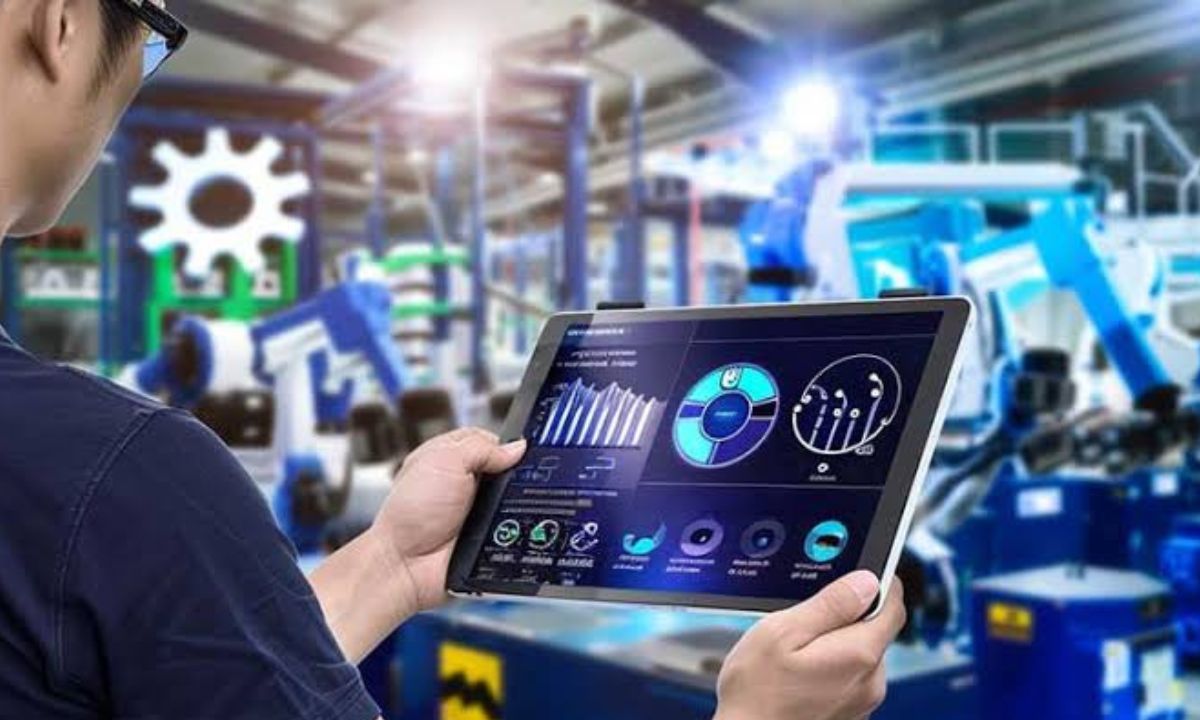
A modern production facility can have excellent machines, skilled employees, and expensive software, yet still lose time and money when those systems don’t communicate properly. That’s where industrial automation and control system integration becomes important.
Companies such as Pacific Blue Engineering show how effective automation and SCADA system integration can transform complex industrial operations. As an experienced control system integrator, the company delivers tailored automation solutions for industries including manufacturing, food and beverage, life sciences, entertainment, and transportation. Through advanced systems engineering and automation technologies, Pacific Blue Engineering helps businesses optimize processes, modernize legacy control systems, improve machine safety, enhance product quality, reduce operational risk, and gain valuable operational insights from connected systems and real-time data.
But what does control system integration actually involve? And why has it become such a big deal for industrial businesses?
Let’s break it down.
Table of Contents
- What Is Industrial Automation and Control System Integration?
- Why Control System Integration Matters
- Key Components of an Integrated Automation System
- PLC and HMI Integration
- SCADA and Industrial Data Systems
- Modernizing Legacy Control Systems
- Improving Machine Safety
- Automation and Product Quality
- Benefits of Industrial Control System Integration
- Common Challenges Businesses Face
- Choosing a Control System Integrator
- The Future of Industrial Automation
- Frequently Asked Questions
- Conclusion
What Is Industrial Automation and Control System Integration?
Industrial automation brings together control systems, computers, sensors, software, robotics, and other technologies to manage industrial processes with less manual intervention. Control system integration takes this a step further by connecting these technologies so they can communicate and operate as part of one coordinated environment.
Rather than leaving machines, controllers, databases, safety systems, and software platforms working as separate islands, an integrator brings them together into a unified system. This is where process control system integration becomes particularly valuable, helping organizations coordinate equipment, monitor processes, and maintain greater control over critical operations.
Think of it like an orchestra: every instrument has its own role, but the performance only works when they all follow the same rhythm. In much the same way, a properly integrated automation system enables equipment and software to exchange information, respond to changing conditions, and give operators a clearer, more useful view of what’s happening across the production floor.
Why Control System Integration Matters
Industrial facilities rarely start from scratch.
A company may have a newer PLC sitting beside a 15-year-old controller, an upgraded HMI connected to older equipment, and a production database running on completely different infrastructure.
Sound familiar?
This mixture of technologies can create serious problems. Data becomes difficult to access, troubleshooting takes longer, and operators may have to rely on several different interfaces.
Industrial automation integration brings these systems together while maintaining the functionality businesses already depend on.
The goal isn’t simply to install new technology. It’s to make the entire operation work better.
Key Components of an Integrated Automation System
A control system integration project can involve many different technologies, depending on the facility and its objectives.
Common components include:
- Programmable logic controllers (PLCs)
- Human-machine interfaces (HMIs)
- Supervisory control and data acquisition (SCADA)
- Industrial networks
- Sensors and instrumentation
- Variable frequency drives
- Robotics and motion control
- Safety control systems
- Manufacturing execution systems (MES)
- Industrial databases
- Cloud and edge computing platforms
- Industrial cybersecurity technologies
The important point is that these components shouldn’t be viewed separately.
Their real value often appears when they work together.
PLC and HMI Integration
PLCs are at the heart of many industrial automation environments. They monitor inputs, execute programmed logic, and control machines and processes.
But operators need a practical way to interact with those processes. That’s where HMIs come in.
An HMI can display temperatures, pressures, production counts, alarms, equipment status, and other information in a format operators can understand quickly.
When PLC and HMI systems are properly integrated, operators can identify problems faster and make informed decisions without digging through disconnected systems.
A good HMI isn’t simply a collection of colorful screens. It should present the right information at the right moment.
Honestly, that’s one area where thoughtful engineering can make a surprisingly large difference.
SCADA and Industrial Data Systems
SCADA systems provide another layer of visibility.
They can collect information from multiple machines, controllers, and processes and present it through centralized monitoring interfaces. Depending on the application, SCADA can also provide historical trends, alarms, reports, and operational data.
This creates an important advantage: businesses don’t have to rely entirely on someone noticing a problem manually.
For example, a plant could monitor temperature trends over several days and identify a gradual change before it becomes a major equipment problem.
That’s where automation starts becoming more than simple machine control. It becomes a source of operational intelligence.
Modernizing Legacy Control Systems
Legacy equipment presents a tricky problem.
It may still work perfectly well, but its control hardware could be obsolete, difficult to support, or incompatible with newer technologies. Replacing an entire production line isn’t always financially realistic either.
Control system modernization provides another option.
An engineering team can assess existing equipment, determine what should remain, and develop a phased modernization strategy.
This might involve replacing outdated PLCs, upgrading HMIs, improving communications, adding new sensors, or connecting previously isolated equipment to modern data systems.
The smart approach isn’t necessarily “replace everything.”
Sometimes it’s “replace what matters and integrate the rest.”
Improving Machine Safety
Automation integration also has an important role in industrial safety.
Modern control architectures can incorporate safety PLCs, emergency-stop systems, safety interlocks, guarding systems, light curtains, scanners, and other safety devices.
These technologies can help identify hazardous conditions and initiate appropriate responses.
Safety shouldn’t be treated as an afterthought added once the automation design is complete. It needs to be considered during system architecture, programming, commissioning, and validation.
A well-designed system protects people while allowing equipment to operate efficiently.
That’s a balance worth getting right.
Automation and Product Quality
Consistency is one of automation’s biggest strengths.
Human workers can be highly skilled, but repetitive processes can still introduce variation. Automated systems can monitor operating conditions continuously and execute programmed sequences consistently.
For manufacturers, that can translate into:
- More consistent production
- Better process control
- Reduced defects
- Improved traceability
- Faster identification of process deviations
- More reliable quality data
Consider a food and beverage facility, for example. Temperature, pressure, timing, flow rates, and other variables may need to stay within carefully defined ranges.
An integrated automation system can monitor those parameters continuously rather than depending solely on periodic manual checks.
Benefits of Industrial Control System Integration
The business case for integration usually extends beyond automation itself.
| Benefit | How Integration Helps |
|---|---|
| Higher efficiency | Reduces unnecessary manual intervention and process delays |
| Better visibility | Brings operational information into centralized interfaces |
| Improved quality | Supports consistent process control and monitoring |
| Lower risk | Integrates safety and control functions |
| Easier maintenance | Provides better diagnostics and equipment information |
| Legacy modernization | Allows older systems to connect with newer technologies |
| Data-driven decisions | Turns machine data into useful operational insights |
| Scalability | Creates an architecture that can support future expansion |
Of course, results vary from one facility to another. A small production line and a large transportation system won’t have the same requirements.
That’s why customization matters.
Common Challenges Businesses Face
Industrial integration isn’t always straightforward.
One major challenge is compatibility. Equipment from different manufacturers may use different communication protocols, software platforms, or control architectures.
Then there’s downtime.
A factory can’t simply stop production indefinitely while a new automation system is installed. Integration projects often have to be carefully planned around maintenance windows and production schedules.
Cybersecurity is another concern. Connecting industrial equipment to broader networks can increase visibility and productivity, but it also creates additional security considerations.
Finally, there’s the human side.
Operators and maintenance teams need to understand the new system. Even technically impressive automation can struggle if the people using it don’t receive proper training.
Choosing a Control System Integrator
Choosing the right integrator can have a major impact on project success.
Don’t look only at whether an integrator can program a PLC. Ask broader questions.
Does the company understand your industry? Can it work with legacy equipment? Does it have experience with safety systems? Can it design industrial networks? Does it understand data collection and analytics? Can it support commissioning and troubleshooting after installation?
A strong control system integrator should be able to look at the entire process rather than focusing on a single piece of equipment.
Pacific Blue Engineering is an example of this broader approach, providing tailored automation and systems engineering solutions across sectors such as manufacturing, food and beverage, life sciences, entertainment, and transportation.
That industry diversity matters because every environment has its own constraints, risks, regulations, equipment, and production objectives.
What Does a Typical Integration Project Look Like?
Although every project is different, the process often follows a general path.
1. System Assessment
Engineers first examine the existing controls, machinery, networks, software, safety requirements, and operational goals.
2. Requirements Definition
The team determines what the new system needs to accomplish and identifies critical performance requirements.
3. System Architecture
Engineers design the control architecture, communications infrastructure, hardware, software, interfaces, and safety strategy.
4. Development and Programming
PLC programs, HMI screens, SCADA applications, databases, and other system components are developed and configured.
5. Testing
Testing helps identify programming issues, communication failures, incorrect sequences, and other problems before the system reaches full production.
6. Commissioning
The integrated system is installed, started, tested in its operating environment, and adjusted as necessary.
7. Training and Support
Operators and maintenance personnel receive training, while ongoing support helps keep the system reliable.
It’s not glamorous work. A lot of engineering happens behind the scenes. But that’s precisely what makes a successful automation project feel almost effortless once it’s running.
The Future of Industrial Automation
Industrial automation is moving toward increasingly connected and intelligent environments.
Industrial Internet of Things (IIoT) technologies, edge computing, advanced analytics, robotics, machine learning, digital twins, and cloud platforms are changing how companies use operational data.
The next generation of automation won’t simply ask whether a machine is running.
It will increasingly ask why it is behaving differently, what is likely to happen next, and what action could prevent a problem.
Predictive maintenance is a good example. Instead of waiting for a motor or pump to fail, systems can monitor vibration, temperature, current, and other signals to identify unusual behavior.
That doesn’t mean every factory needs the latest technology available. Sometimes the best investment is a relatively simple modernization project that solves a specific bottleneck.
Technology should serve the process, not the other way around.
Frequently Asked Questions
What is industrial automation and control system integration?
Industrial automation and control system integration involves connecting machines, controllers, software, networks, safety systems, and data platforms so they can operate as a coordinated system.
What does a control system integrator do?
A control system integrator designs, programs, connects, tests, and commissions automation and control technologies. Integrators can also help modernize legacy systems and provide ongoing technical support.
Why modernize legacy control systems?
Legacy modernization can improve reliability, cybersecurity, maintainability, data access, and compatibility with newer automation technologies without necessarily replacing an entire facility.
How does automation improve product quality?
Automation provides consistent process control and continuous monitoring. It can identify deviations, reduce manual variation, improve traceability, and help manufacturers maintain defined production conditions.
Can industrial automation improve machine safety?
Yes. Integrated automation systems can incorporate safety PLCs, emergency stops, interlocks, sensors, guarding, and other protective technologies to help manage hazardous operating conditions.
What industries use control system integration?
Control system integration is used across manufacturing, food and beverage, life sciences, transportation, entertainment, energy, water and wastewater, and many other industrial environments.
Is industrial automation only suitable for large factories?
No. Automation can be scaled to suit smaller facilities and individual processes. The right solution depends on production requirements, existing equipment, budget, safety considerations, and long-term objectives.
Conclusion
Industrial automation and control system integration is no longer simply about making machines run automatically. It’s about creating an environment where equipment, people, software, and operational data work together more intelligently.
The strongest projects usually begin with a practical question: What problem are we trying to solve?
Maybe production is too slow. Perhaps an old control system is becoming impossible to maintain. Maybe operators don’t have enough visibility, quality problems are increasing, or safety requirements have changed.
Whatever the starting point, thoughtful integration can turn disconnected technology into a coordinated industrial system.
And as automation becomes more connected, the companies that treat operational data as a valuable business asset will have an advantage. The future isn’t necessarily about automating everything. It’s about automating the right things, integrating them properly, and giving people better information to make better decisions.
Final Thought:
The best automation system isn’t the one with the most technology. It’s the one that solves real problems, fits the operation, and keeps delivering value long after installation.
-

 Education2 years ago
Mastering Excel: Your Comprehensive Guide To Spreadsheets And Data Analysis
-

 Tech2 years ago
How To Choose The Best Forex Trading Broker?
-

 Business2 years ago
Exploring the Rental Market: Properties for Rent in Malta
-

 Blog2 years ago
Arab MMA Fighters Shine Bright: Meet the Champions of PFL MENA
-

 Travel2 years ago
Experience the Best Desert Safari Dubai Offers!
-

 Tech2 years ago
The Role Of Experts VS Top Mobile Apps for Green Screen Removal
-

 Home Improvement2 years ago
Eco-Friendly Round Rug Options for Sustainable Living in NZ
-

 How-To Guides2 years ago
Comprehensive Guide to Cockwarming: Enhancing Intimacy and Connection